Free.
10 messages a day through AuraAI Cloud. No card, no account, no email. The free tier is the default, not the trial.
A native desktop assistant. 10 free messages a day, no sign-in. Connect any provider for more.
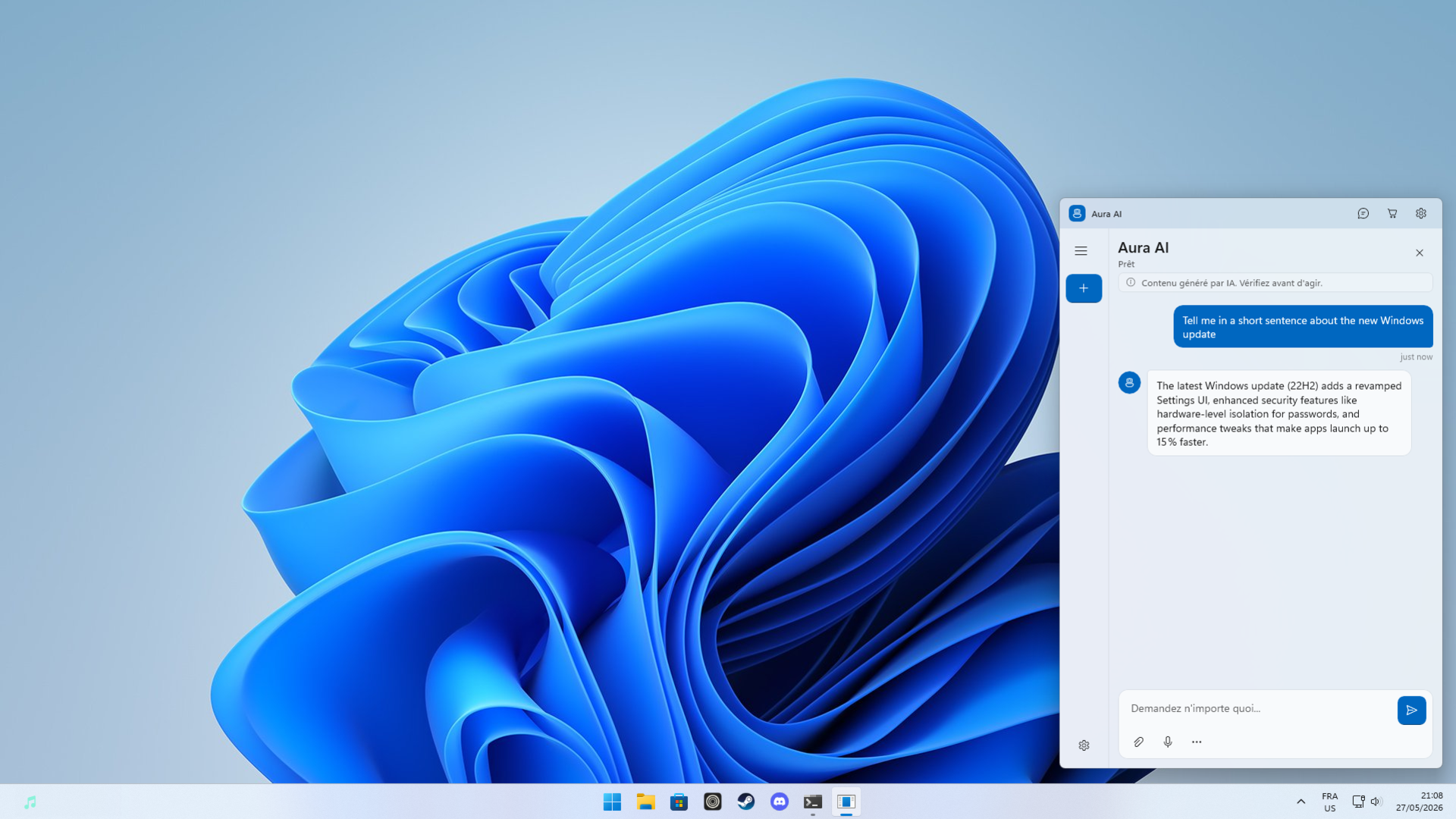
Demo: pressing Ctrl+Shift+A on a Windows desktop summons the Aura AI window over whatever is on screen. You ask "What's the fastest way to open you?" and Aura AI answers: press Ctrl+Shift+A from anywhere in Windows. It slides in over whatever you're working on, then tucks back into the system tray when you're done. No browser, no tab, nothing to find.
10 messages a day through AuraAI Cloud. No card, no account, no email. The free tier is the default, not the trial.
Conversations live in a SQLite database on your machine. API keys are encrypted with Windows DPAPI. Nothing else touches the network.
OpenAI, Anthropic Claude, OpenRouter, Ollama, LM Studio, or any OpenAI-compatible endpoint. Pick one, switch any time.
Built with WinUI 3 and the Windows App SDK. Mica backdrop, system tray, balloon notifications when a reply finishes in the background, a configurable global hotkey, and Start with Windows. Boot, press Ctrl+Shift+A, type.
There is no user account, no ads, no cross-app tracking, and no profiling. AuraAI Cloud keeps aggregate service metrics for reliability and quota operations. Anonymous diagnostics are used only to improve the app, are preselected during setup, and can be turned off during setup or anytime in Settings. They contain only allowlisted event names and the provider category used, never message text, responses, API keys, endpoints, model names, custom provider names, or local chat history. When you bring your own provider, your key stays encrypted on disk and goes directly from your computer to the provider you chose.
Read the privacy policy →On this PC
%LocalAppData%\Aura AI\
├─ chat.db                    SQLite, local
├─ settings.json              your preferences
├─ cloud-token.txt            DPAPI-encrypted
├─ cloud-recovery-token.txt   DPAPI-encrypted
└─ logs\                      auto-pruned, 30 days
Over the wire, ever
That is the whole list.
Aura AI ships with AuraAI Cloud, the default free tier. When you want more, point it at any OpenAI-compatible endpoint and the same chat, the same hotkey, and the same history keep working. Failover between providers if one drops.
→ chatting via AuraAI Cloud · built in · free tier
Hold the voice button and dictate through Windows Speech Recognition. Drop a code file, a log, or a markdown document into the prompt and Aura AI inlines it as context. Replies stream with a typewriter cursor so you can read while the model writes.
Free
$0 forever
AuraAI Cloud, ready to use.
Premium
$5.99 / month
Billed through Microsoft Store for people who use Aura AI every day.
Premium is $5.99/month before any regional Microsoft Store taxes or adjustments shown at checkout. Refunds are handled by Microsoft Store. Prefer to run models on your own machine? Connect Ollama or LM Studio in Settings. No quota, no Cloud, ever.
Yes. 10 messages a day, indefinitely, through AuraAI Cloud. No card, no email. If you point Aura AI at your own provider (Ollama on your machine, your OpenAI key, etc.), the cap stops applying.
Only the message you choose to send, plus a random installation id used to enforce the free daily quota or Premium entitlement. If you report inappropriate AI output, the generated response and your notes are sent to support. Conversation history, settings, and any API key you enter stay local. Read the privacy policy for the long version.
Yes. Settings → Connection lets you point Aura AI at OpenAI, Anthropic Claude, OpenRouter, Ollama, LM Studio, or any OpenAI-compatible endpoint. The key is encrypted at rest with Windows DPAPI and never sent to AuraAI Cloud.
If you run a local model with Ollama or LM Studio, yes, fully offline. The Cloud free tier and remote providers obviously need a connection.
Because no account means no account to leak. Your installation is identified by a random id generated locally. The Premium subscription is verified through your Microsoft Store license, not a username.
The daily quota on AuraAI Cloud. Free is 10 messages a day, Premium is unlimited for $5.99/month. Everything else, voice input, history, providers, and hotkey, is identical.
WinUI 3 and the Windows App SDK on .NET 8, with EF Core + SQLite for local persistence, and a Supabase Edge Function for the AuraAI Cloud backend. See the third-party notices for the full dependency list and licenses.
It finds you. Available on the Microsoft Store for Windows 11 and Windows 10 (build 19041+).
AI responses can be inaccurate. Verify important information from authoritative sources, especially for medical, legal, financial, or safety-critical decisions.